OAMS Portal IGNOU: Indira Gandhi National Open University (IGNOU) provides various online services to help students manage their academic activities. From admission and course registration to assignment submission, examination forms and grade cards, digital platforms play an important role in the university’s student services. Students searching for the OAMS Portal IGNOU generally want information about online assignment management, portal access, login procedures and assignment-related updates.
OAMS is commonly understood as an Online Assignment Management System. However, students should distinguish between assignment-management facilities used by the university or its regional centres and the student-facing portals used for submitting assignments or checking their status. The exact facilities available may depend on the programme, regional centre and instructions issued by IGNOU.
In this guide, we explain what the OAMS portal refers to, how students can approach online assignment-related services, what information they may need, and how to find important IGNOU student resources.
What Is the OAMS Portal IGNOU?
OAMS generally stands for Online Assignment Management System. In an educational institution, an assignment management system can be used to organise assignment-related activities, including submission records, evaluation progress and student information.
For IGNOU students, assignment-related online services are particularly important because assignments form part of the academic assessment process for many programmes.
Students should understand that OAMS should not automatically be treated as a universal IGNOU student login portal. IGNOU has different online facilities for admission, student services, examination forms, grade cards and other academic activities. The correct platform depends on the service a student wants to access.
If your regional centre or study centre has provided a specific OAMS link, follow its instructions. Do not enter your personal details on an unofficial website simply because it uses the OAMS name.
IGNOU OAMS Portal: Overview
The following table provides a quick overview of the OAMS-related information students may find useful.
| Particular | Details |
|---|---|
| Portal name | OAMS Portal IGNOU |
| Full form | Online Assignment Management System |
| Institution | Indira Gandhi National Open University |
| Main area | Assignment-related management and information |
| Intended use | Depends on the facility provided by IGNOU or the relevant centre |
| Student activities | Assignment-related instructions and updates, where available |
| Login requirements | Depend on the specific portal |
| Assignment submission | Follow the instructions of the relevant regional or study centre |
| Official website | https://www.ignou.ac.in/ |
| Student portal | https://ignou.samarth.edu.in/ |
Important: The table is a general guide. Students should confirm the availability and purpose of any specific OAMS login facility through their regional centre or an official IGNOU notice.
Why Is the IGNOU OAMS Portal Important?
Assignments are an important part of the learning and evaluation process at IGNOU. Students enrolled in different programmes may be required to complete assignments for their registered courses.
A digital assignment-management facility can help organise information related to assignment submission and evaluation. Depending on the system and the access provided, it may support activities such as:
- Maintaining assignment-related records.
- Organising student and course information.
- Managing assignment submission details.
- Supporting assignment evaluation workflows.
- Tracking assignment-related progress.
- Helping authorised university or centre staff manage academic records.
Not every feature will necessarily be available to students through a single login. Students should use the specific facility identified by IGNOU for their requirement.
How to Access the OAMS Portal IGNOU?
If your regional centre, study centre or an official IGNOU communication has provided an OAMS link, follow the instructions supplied with that link.
The general process for accessing an authorised portal is as follows:
- Obtain the correct portal address from an official IGNOU communication or your regional centre.
- Open the link in a secure web browser.
- Check that the website address is correct.
- Find the login section.
- Enter the username or identification details provided to you, if required.
- Enter your password or other authorised login credentials.
- Complete any additional verification step displayed on the portal.
- Access only the services available to your account.
- Log out after completing your work, especially when using a shared computer.
The login method may differ between student-facing facilities and systems intended for authorised university staff. Students should not assume that their enrolment number and password will work on every OAMS-related system.
OAMS Portal IGNOU Login: Important Information
Before attempting to log in, make sure you have the correct website address and login credentials.
Depending on the portal, the required information may include:
- Username or registered login ID.
- Password.
- Enrolment number, where applicable.
- Registered email address.
- Mobile number for verification, if required.
Some systems may be restricted to authorised staff or specific users. If you are a student and cannot access a particular portal, contact your regional centre to confirm whether student login access is available.
Never share your password, OTP or other confidential information with unknown individuals.
How to Submit IGNOU Assignments Online?
IGNOU assignment submission instructions may vary according to the programme, regional centre, study centre and applicable academic session. Some students may receive instructions for online submission, while others may be required to follow a different submission method.
If online submission is authorised for your course, follow the instructions issued by your regional centre or study centre.
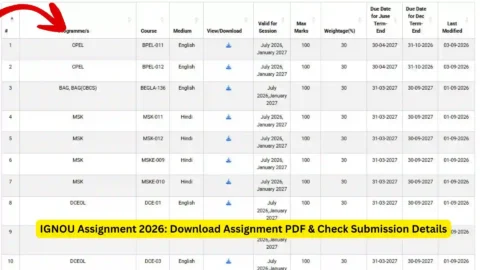
Step 1: Download the Correct Assignment
Visit the official IGNOU website and locate the assignment information for your programme and course.
Check the following details:
- Programme code.
- Course code.
- Academic session.
- Assignment validity.
- Assignment submission instructions.
Downloading the correct assignment question paper is important. Using an outdated assignment may create problems during evaluation.
Step 2: Prepare Your Assignment
Write your answers according to the instructions provided with the assignment. Make sure that you answer the questions in the correct order and provide the required information.
Before submitting, check that your assignment includes:
- Student name.
- Enrolment number.
- Programme code.
- Course code.
- Study centre details, where required.
- Regional centre details, where required.
- Required assignment front page.
Students should also check whether handwritten or typed assignments are permitted for their particular course.
Step 3: Follow the Submission Instructions
If online submission is permitted, use the exact link and file format specified by your regional centre or study centre.
Before uploading a document, check:
- Whether PDF format is required.
- The maximum permitted file size.
- Whether separate files are needed for different courses.
- Whether the file should contain a particular naming format.
- Whether all pages are clear and readable.
Do not upload assignments through an unrelated website or unofficial form.
Step 4: Save the Submission Confirmation
After submitting an assignment, save the acknowledgement, confirmation message, email or receipt provided by the authorised system.
This record may be useful if you need to ask about your assignment submission later.
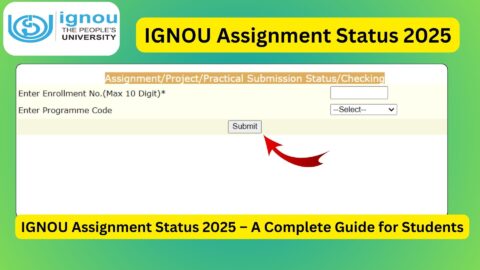
How to Check IGNOU Assignment Status?
After submitting assignments, students often want to know whether their work has been received and evaluated.
The availability of an online assignment status facility may depend on the course, session and university system.
Students can generally follow these steps when a status-checking facility is available:
- Open the relevant official IGNOU assignment status facility.
- Enter the requested enrolment or programme details.
- Select the required academic information, if prompted.
- Submit the details.
- Review the displayed assignment information.
- Save a copy of the status for future reference.
Assignment status and assignment marks are not necessarily updated at the same time. A delay may occur between submission, receipt, evaluation and the updating of academic records.
If your assignment status is not available, contact your study centre or regional centre with your submission acknowledgement and course details.
Difference Between OAMS, IGNOU Student Portal and Assignment Status
Students sometimes confuse different IGNOU platforms because they all relate to academic activities. However, each service may have a different purpose.
| Platform or service | Main purpose |
|---|---|
| OAMS | General term for an Online Assignment Management System; access and features depend on the specific system |
| IGNOU Student Portal | Student-related online services and information |
| Assignment Status | Checking available assignment submission or evaluation updates |
| IGNOU Grade Card | Checking recorded assignment and examination marks |
| Examination Portal | Examination form and related examination services |
| Admission Portal | Admission and application-related activities |
Students should select the platform according to the service they need rather than trying to use one login for every IGNOU activity.
IGNOU Grade Card and Assignment Marks
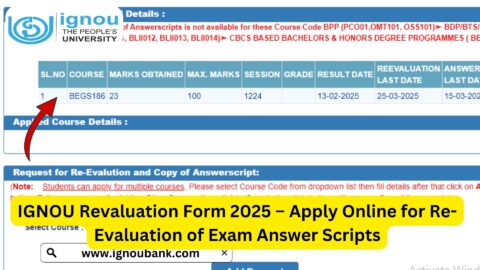
The IGNOU grade card is an important academic record. It may display information about a student’s registered courses, assignment marks, theory examination marks and overall course status, depending on the programme and the information updated by the university.
Students should check their grade cards regularly after assignment evaluation and Term-End Examination results are processed.
To check your grade card:
- Open the IGNOU grade card facility.
- Select the appropriate programme, where required.
- Enter your enrolment number.
- Submit the details.
- Review the displayed course information and marks.
You can also use the following student resource: https://www.ignoubank.com/ignou-grade-card/
If marks are missing or an entry appears incorrect, contact the appropriate university authority and provide the relevant course and submission details.
Common OAMS Portal IGNOU Login Problems
Students may sometimes experience problems while accessing online facilities. The issue may be related to incorrect login details, portal availability, browser settings or access permissions.
1. Incorrect Username or Password
Check whether you have entered the correct login details. Make sure that there are no extra spaces or typing errors.
2. Portal Not Opening
The website may be temporarily unavailable because of maintenance, technical issues or heavy traffic. Try again later and confirm that you are using the correct official link.
3. Login Access Not Available
Some assignment-management systems may be intended for authorised staff rather than all students. Contact your regional centre to confirm whether you are eligible to use the portal.
4. Password Forgotten
If the portal provides a password recovery option, follow its instructions. If not, contact the authorised portal administrator or the relevant regional centre.
5. Assignment Status Not Updated
Assignment records may take time to appear after submission. Keep your acknowledgement and contact the study centre or regional centre if the expected update does not appear.
6. Technical Errors
Try opening the portal in an updated browser. You can also clear the browser cache or use another device. Avoid sharing login credentials with anyone offering unofficial technical support.
Documents and Details Students Should Keep Ready
Before using an assignment-related portal or contacting IGNOU support, students should keep important academic details available.
These may include:
- IGNOU enrolment number.
- Programme code.
- Course code.
- Regional centre details.
- Study centre details.
- Registered email address.
- Registered mobile number.
- Assignment submission acknowledgement.
- Assignment copy.
- Payment or application receipt, where relevant.
Having these details ready can make it easier to identify your academic record and explain your issue.
Important Links and Information for IGNOU Students
The following table contains useful IGNOU websites and student resources.
| Description | Link |
|---|---|
| IGNOU Official Website | https://www.ignou.ac.in/ |
| IGNOU Student Portal | https://ignou.samarth.edu.in/ |
| IGNOU Student Login | https://ignou.samarth.edu.in/index.php/site/login |
| IGNOU Examination Form Portal | https://exam.ignou.ac.in/ |
| IGNOU Grade Card Status | https://www.ignoubank.com/ignou-grade-card/ |
| IGNOU Assignment Front Page | https://ignoubank.com/ignou-assignment-front-page/ |
| IGNOU Book Status | https://www.ignoubank.com/ignou-book-status/ |
Note: These links are provided as general student resources. They are not all OAMS login links. For a specific OAMS portal, use the address supplied by your regional centre or an official IGNOU communication.
Important Tips for IGNOU Students
Students should follow a few basic precautions when using online academic services.
- Always verify the website address before entering personal information.
- Use the correct assignment question paper for your programme and session.
- Check the course code before submitting an assignment.
- Follow your regional centre’s submission instructions.
- Save assignment acknowledgements and other important receipts.
- Check assignment status and grade card updates periodically.
- Keep your enrolment number and academic records safe.
- Avoid sharing passwords and OTPs.
- Do not trust websites claiming guaranteed marks or faster assignment evaluation.
- Contact official university support channels when you face unresolved problems.
FAQ about OAMS Portal IGNOU 2026
What is OAMS Portal IGNOU?
OAMS generally stands for Online Assignment Management System. It refers to a system used to organise assignment-related activities. The exact purpose and access arrangements depend on the specific system provided by IGNOU or the relevant centre.
What is the full form of OAMS?
The commonly used full form of OAMS is Online Assignment Management System.
How can I log in to the IGNOU OAMS portal?
Use the specific OAMS link provided by your regional centre, study centre or an official IGNOU communication. Follow the login instructions supplied with that link.
Can all IGNOU students access the OAMS portal?
Not necessarily. Access depends on the specific system and the permissions provided. Some assignment-management systems may be intended for authorised staff or particular users.
Is OAMS the same as the IGNOU Student Portal?
No. OAMS generally refers to an assignment-management system, while the IGNOU Student Portal provides student-related online services. The available features and login arrangements may differ.
How can I submit IGNOU assignments online?
Students should first confirm whether online submission is permitted for their programme and session. If it is, follow the submission link and file requirements provided by the relevant regional centre or study centre.
How can I check my IGNOU assignment status?
Use the applicable assignment status facility when available. Enter the requested student and course details and review the displayed information. You can also contact your study centre or regional centre.
What should I do if my IGNOU assignment status is not updated?
Keep your submission acknowledgement and contact the relevant study centre or regional centre. Assignment records may take time to be processed and updated.
Can I use my IGNOU enrolment number to access OAMS?
The login requirements depend on the specific OAMS system. Do not assume that your enrolment number is sufficient. Follow the login instructions provided by the portal administrator or your regional centre.
Conclusion
The OAMS Portal IGNOU is a useful search term for students looking for information about online assignment management and related academic services. However, students should understand that OAMS, the IGNOU Student Portal, assignment status facilities and grade card services may serve different purposes.
Before attempting to log in, confirm the correct portal address through an official IGNOU communication or your regional centre. Follow the prescribed assignment submission instructions, keep your acknowledgement receipts safe and check your academic records regularly.
For reliable information about IGNOU assignments, examinations and student services, use the official university website and the specific portals designated for each activity. Taking these precautions can help students manage their academic work more smoothly and avoid problems caused by incorrect or unofficial links.